


Solvely-Math Solver & Homework
4.6954.00 Reviews
App Specs
- Version
- 3.0.3
- Updated On
- License
- Free
- Downloads
- 5,000,000+
- Developer
- Aignite Inc.
- Categories
- Education
- Platform
- Android
Screenshots

 Analysis by AppCompare
I tend to reach for a camera-based solver when I’m away from a desk and need help making sense of a problem, not just checking a final answer. Solvely-Math Solver & Homework is an education app from Aignite Inc. that brings that kind of help to a phone. Its appeal is straightforward: capture a question, get assistance, and use the explanation as a way back into the work. Whether that feels useful depends partly on the problem and partly on your connection at the moment you need it.
When a connection is part of the workflow
A camera solver can save time compared with typing a long expression into a search bar or trying to describe a worksheet question in words. The trade-off is that image-based help depends on getting a clear, readable capture and on the app being able to process the request. I’d treat the camera as a shortcut for presenting a problem, not as a guarantee that every scribble or cramped line will be interpreted correctly.
That matters especially for multi-line questions, where a small mark can change what the problem means. Before relying on a result, I’d compare the expression Solvely appears to have understood with the one on the page. If the answer looks surprising, recapture the question or enter it more carefully rather than assuming the math is wrong. This quick check is a useful habit whether you’re studying alone or helping someone else.
Useful in short study sessions, with a few caveats
Solvely makes most sense when you have a specific question and want to move from being stuck to understanding the next step. It is less compelling as a replacement for a notebook, a teacher, or a complete course. A solver can show a route through a problem, but you still need to decide whether each step makes sense and whether you can repeat the method without help.
It may also be a poor fit when you need a guaranteed answer under exam conditions, when the question is too poorly written to capture, or when your goal is to learn a whole topic from the ground up. In those cases, a textbook, classroom explanation, or carefully worked lesson may give more context. I’d use the app as a study aid, not as proof that I’m ready for a test.
Getting Started with Solvely
The first thing I noticed about Solvely-Math Solver & Homework is its sleek and user-friendly interface. It's pretty intuitive, so even if you're not tech-savvy, you'll find your way around in no time. Downloading and setting up the app was a breeze, and it’s available on both Android and iOS. So, no matter what device you're on, Solvely's got you covered.
Features That Stand Out
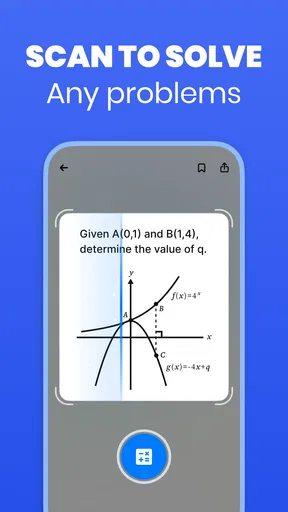
One of the coolest features is the camera function. You can snap a picture of your handwritten or printed math problem, and Solvely will work its magic to solve it for you. It’s like having a math genie in your pocket! The app supports a wide range of math problems from basic arithmetic to advanced calculus. So whether you're in middle school or tackling college algebra, Solvely is up for the challenge.
Worth Reading Before You Choose

EA SPORTS FC Mobile 26 Is a Bigger Football Game, but It Takes Time

Flipboard Shows What News Apps Must Do Beyond the Feed

Switching to Android Auto Means Rethinking Your Driving Routine

Google Calendar Makes a Crowded Week Easier to Manage

Ludo King Makes the Most of the Minutes Between Plans

Baby Panda World Brings Quick Play to Modern Phones, but Its Game Library Feels Busy
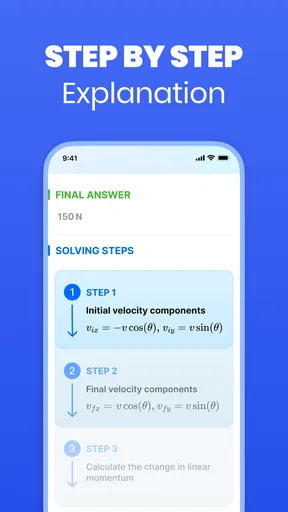
Another feature worth mentioning is the step-by-step explanations. It doesn't just give you the answer and leave you hanging; it breaks down the solution into easy-to-understand steps. This is super helpful if you're trying to learn the concepts rather than just pass your homework. You can even revisit these explanations later, thanks to the handy history feature.
Usability and Performance
Performance-wise, Solvely is pretty snappy. There were no lagging issues when I tested it, which is a big plus. The app also offers a variety of themes, so you can customize the look and feel to suit your style. And let’s not forget about the offline mode! You can still use the app even when you’re off the grid, which is perfect for those moments when your internet decides to take a nap.
Connection conditions can still shape the experience, particularly when you’re trying to submit a new photo or get help with a fresh question. If a request does not go through, I’d first check whether the image is legible and whether the connection has returned, then try again with a tighter crop around the problem. For a worksheet, capturing one question at a time can make it easier to spot a misread symbol and keep the explanation focused.
For a practical routine, I’d save the explanation in the app’s history when I’m studying somewhere with a stable connection, then use it to review the reasoning later. That turns the history into more than a record of answers: it can help me compare how I approached similar problems. I would not assume that every saved item or every solving action works without internet, though. If you expect to study in a place with unreliable service, test the workflow beforehand rather than discovering a connection dependency halfway through homework.
Learning and Engagement
One thing I really appreciated is how Solvely makes learning math less daunting. It feels more like a game rather than a chore. The app includes quizzes and challenges to test your knowledge and keep you engaged. Plus, it tracks your progress, so you can see how much you've improved over time.
A realistic use is a quick evening homework check: I’d photograph one confusing algebra question, read the steps, then cover the solution and try the same method on the next exercise. If I can’t reproduce the reasoning, I haven’t learned it yet. This approach makes the app’s explanation a prompt for practice rather than an answer to copy, and it works better than scanning an entire page and passively reading a stack of results.
For younger learners, I’d keep an adult involved when the explanation introduces a method the student has not seen in class. A correct-looking sequence can still be hard to follow if its notation or approach differs from the teacher’s. Solvely can help identify where a student is stuck, but a parent or tutor may need to translate the steps into the language used in the lesson.
Subscription Options
While the basic features are free, Solvely does have a premium option that unlocks additional features like more complex problem-solving and advanced learning tools. If math is a big part of your life, the premium version might be worth considering. But for casual users, the free version is pretty robust.
The app is free to install, with in-app purchases ranging from $2.99 to $720.00 per item. I’d check the purchase details shown in the app before committing, especially if you only need occasional help; the range is broad enough that it’s sensible to understand exactly what an option includes. For a student who uses a solver daily, paid extras may be easier to justify than for someone who opens it only before a deadline.
Solvely is rated for Everyone, has a 4.8 average from around 76,000 ratings, and has been installed over one million times. It was released on October 21, 2023, and version 2.9.1 requires Android 8.0 or later. Those details make it accessible to a broad group of learners, but a high rating does not remove the need to check its work or decide whether a purchase suits your own study habits.
How it fits among other study tools
Compared with typing a question into a general web search, the camera-first approach is more convenient when the problem is already on paper, and step-by-step working is more useful than a bare result when you want to learn. Compared with a traditional calculator, Solvely aims to help with a wider homework workflow rather than only numerical calculation. But a calculator may be faster for routine arithmetic, while a teacher or a detailed textbook is usually better for building a coherent understanding of a full unit.
My practical tip is to use the app selectively: bring it the one step that blocks you, inspect the reasoning, and then attempt a similar question without looking. That creates a small feedback loop and keeps the camera from becoming a substitute for working through the assignment. If the explanation does not match your class method, use it to locate the sticking point and ask for clarification instead of forcing an unfamiliar route into your notes.
My Personal Take
After using Solvely-Math Solver & Homework for a week, I can honestly say it’s a game-changer. The combination of powerful features and a friendly interface makes it a must-have app for anyone struggling with math. Whether you're a student, a parent helping with homework, or just someone who likes to keep their math skills sharp, this app is definitely worth checking out.
My recommendation is more specific than “use it for every problem”: I’d try Solvely if you often need help interpreting written math questions and benefit from seeing a worked explanation on your phone. I’d skip it as a primary learning resource if you need lessons that build from basic ideas in sequence, or if your study setting makes getting a reliable connection difficult. It is most helpful when you treat its output as something to question and learn from, not a substitute for your own working.
So, if you’re tired of battling with math problems on your own, give Solvely a shot. It might just be the helping hand you need to conquer your math woes. You can download Solvely now and see for yourself why it's making waves in the education app world.
My connectivity verdict
For me, Solvely’s strongest use is a focused, phone-sized study session: capture a question, inspect the steps, and turn the result into a fresh attempt of your own. Its camera workflow and saved explanations can make that session feel less cumbersome than switching between a worksheet, a calculator, and a browser. The main trade-off is that a solver’s usefulness depends on a readable problem and a working path for submitting it, so I would plan around connection quality rather than assume every feature is available everywhere.
If that fits the way you study, the app is worth trying before deciding whether paid options matter to you. If you need dependable help in a setting where you cannot count on connectivity, or you want a complete guided course rather than answers to individual questions, another approach may serve you better. Used thoughtfully, Solvely can be a handy companion; the learning still comes from checking the reasoning and doing the next problem yourself.
Pros
- Intuitive interface for easy navigation.
- Quickly solves complex math problems.
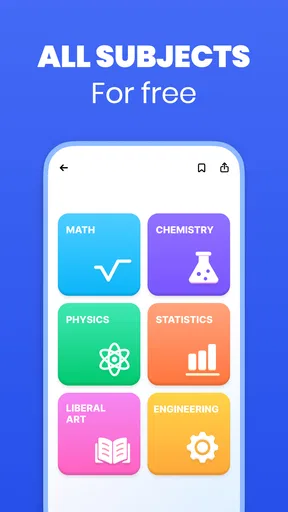
- Supports multiple math topics.
- Includes step-by-step solution guides.
- Offline mode available for convenience.
Cons
- Contains ads in the free version.
- Limited features without a subscription.
- Some solutions lack detailed explanations.
- Occasional errors in problem recognition.
- Requires internet for certain features.
FAQs for Solvely-Math Solver & Homework
What features does Solvely-Math Solver & Homework offer?
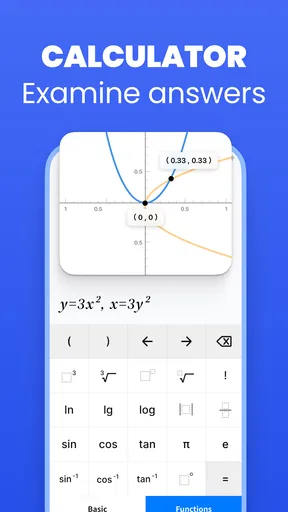
Solvely-Math Solver & Homework provides a comprehensive set of tools for solving mathematical problems, including algebra, calculus, and geometry. It offers step-by-step solutions, interactive graphs, and explanations to enhance understanding. Additionally, the app features a homework planner to help students organize their assignments efficiently.
Is Solvely-Math Solver & Homework free to use?
Solvely-Math Solver & Homework offers a free version with basic features. However, for access to advanced tools and unlimited problem-solving capabilities, users can opt for a premium subscription. This subscription unlocks additional functionalities, ensuring a more enriched learning experience.
How user-friendly is the app for beginners?
Solvely-Math Solver & Homework is designed with an intuitive interface that caters to users of all skill levels. Beginners will find the guided tutorials and user-friendly layout helpful. The app includes easy navigation and clear instructions, making it accessible for students who are new to using digital learning aids.
Can Solvely-Math Solver & Homework assist with test preparations?
Yes, the app is an excellent tool for test preparations. It includes practice quizzes and mock tests aligned with common curriculum standards. The app's detailed solutions and explanations help reinforce learning and improve problem-solving skills, making it an effective resource for exam readiness.
What platforms is Solvely-Math Solver & Homework available on?
Solvely-Math Solver & Homework is available for download on both Android and iOS platforms. Users can access the app via the Google Play Store for Android devices and the Apple App Store for iOS devices. Regular updates ensure compatibility and enhanced performance across all supported devices.


